Could changing your working position help you work more comfortably and stay focused throughout the day?
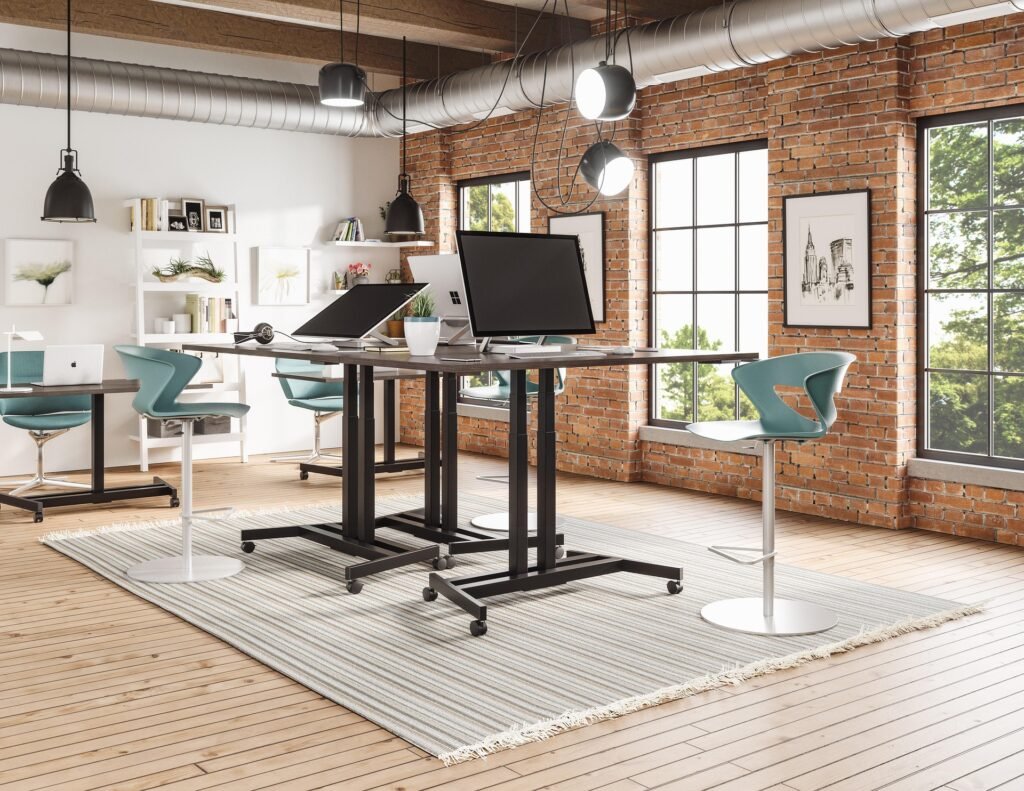
Spending hours at a desk can make it easy to stay in the same position all day. Standing desks offer a simple way to change your working position, but do they actually make you more productive?
Research suggests that sit-stand desks can reduce sitting time without necessarily harming work performance. However, the evidence that they directly improve productivity is more limited.
In this guide, we compare three standing desks for the US market. We look at two more budget-friendly options and one premium FlexiSpot model, focusing on their specifications, features, and suitability for different home-office setups.
The 3 Best Standing Desks for Productivity – Quick Overview
If you want a quick overview, these are the three models covered in this comparison:
| Standing Desk | Best For | Main Strenght |
| FlexiSpot EN1 | Budget-conscious home offices | Electric height adjustment |
| FEZIBO Electric Standing Desk | Budget shoppers | Affordable configurations |
| FlexiSpot E7 | Premium workspaces | Dual motors and higher load capacity |
Each model has a different target audience. The EN1 is a more accessible option, FEZIBO offers several configurations to compare, and the E7 targets users who want a more substantial workstation.
1. FlexiSpot EN1 — Best Budget-Friendly Option
Best for: Home-office workers who want an electric standing desk without moving into the premium price range.
The FlexiSpot EN1 is a budget-oriented electric standing desk designed for people who want to alternate between sitting and standing. It is worth considering if you want basic height adjustment and memory features without necessarily needing a heavy-duty workstation.
According to a recent TechRadar report, the EN1 has been offered through Amazon with a single-piece 48-by-30-inch desktop, four memory presets, and an advertised height range of approximately 28.9 to 46.5 inches. The report also describes the desk as a relatively affordable option for people who want a straightforward electric standing desk.
A single-piece desktop may be appealing to users who prefer a more uniform work surface. If you work with a laptop, one or two monitors, and standard office accessories, a desk in this category may provide enough room for a simple home-office setup.
However, the EN1 is not intended to offer every feature found in more expensive standing desks. Users with heavier equipment or larger workstations should compare its load capacity, dimensions, and frame specifications with their requirements.
One advantage of choosing a budget-oriented desk is that you may have more room in your budget for other parts of your workspace, such as an ergonomic chair, monitor arm, or lighting.
Key features
- Electric height adjustment
- Memory presets
- Single-piece desktop configuration in some listings
- Budget-oriented positioning
- Available Amazon.com listing reported by TechRadar. See if it is available here.
Potential drawbacks
The EN1 is a more basic option than premium dual-motor desks. The exact load capacity, motor specifications, and height range should be checked for the version you intend to recommend.
Best focus Music’s take: The FlexiSpot EN1 is worth considering for users who want a relatively straightforward electric standing desk for everyday home-office work.
2. FEZIBO Electric Standing Desk — Best Budget Option
Best for: Home-office users who want an affordable standing desk with practical features.
FEZIBO offers a range of electric standing desks in different sizes and configurations. This makes the brand relevant for shoppers who want to compare budget-friendly options without immediately moving into the premium price range.
TechRadar lists a FEZIBO electric standing desk among its budget recommendations. The publication describes a model with a single motor and an adjustable height range of approximately 28.3 to 46.5 inches. However, FEZIBO sells different desk configurations, so the exact specifications depend on the product you select.
When comparing a FEZIBO desk with the FlexiSpot EN1, consider the features that actually matter for your working routine. A stable frame, sufficient desktop space, and easy height adjustment may be more useful than accessories you do not plan to use.
The right configuration also depends on your workspace. A smaller desk may be enough for a laptop and single monitor, while a larger setup with two monitors may require additional desktop space.
Before purchasing, pay attention to the exact motor system, desktop dimensions, maximum load capacity, and memory presets. These details can vary between different FEZIBO models.
What to check before buying
- Exact model and desktop dimensions
- Motor configuration
- Maximum weight capacity
- Memory presets
- Warranty and return policy
- Availability of the specific model on Amazon.com.See our best pick option here
Potential drawbacks
FEZIBO sells multiple standing desk models, so the product name alone does not provide enough information to compare specifications accurately. Make sure your affiliate link leads to the exact version discussed in the article.
Our take: FEZIBO is a brand worth considering for budget shoppers who want practical features, but the specific model should be verified before making a definitive product recommendation.
Check the FEZIBO Electric Standing Desk on Amazon
3. FlexiSpot E7 — Best Premium Option
Best for: Users who want a more substantial workstation with dual motors and a higher stated load capacity.
The FlexiSpot E7 is the premium option in this comparison. Compared with the EN1, it offers a dual-motor design, a broader height adjustment range, and a substantially higher published load capacity.
According to FlexiSpot’s official US product specifications, the E7 has an adjustable height range of 22.8 to 48.4 inches and a maximum static load of 355 pounds. Its frame is compatible with desktops ranging from approximately 47.2 to 80 inches in width.
The E7 also includes a premium keypad with memory presets, an LED display, a child lock, and a USB charging port. These features may be useful for people who want a more configurable workstation.
The desk is particularly relevant for larger home-office setups, such as workspaces with multiple monitors, a desktop computer, or other equipment that adds weight to the desk.
The dual-motor design is one of the main differences between the E7 and the EN1. However, a higher load capacity does not automatically mean that every user will experience a noticeable productivity improvement. The practical value depends on your equipment, desk height, workspace, and personal preferences.
One thing to consider is that the FlexiSpot E7 may be easier to purchase directly from FlexiSpot than through Amazon, depending on the specific version. Recent comparison information indicates that Amazon listings can be frame-only, while complete desk configurations may be available directly from FlexiSpot.
Key features
- Dual-motor height adjustment
- Adjustable height of approximately 22.8–48.4 inches
- Listed maximum static load of 355 pounds
- Desktop compatibility from approximately 47.2–80 inches in width
- Memory presets
- LED keypad and USB charging port
Potential drawbacks
The E7 is positioned as a more premium option, so it may not be necessary for someone who only needs a simple laptop workstation. Larger desktop configurations also require more available space.
Additionally, you should verify whether the exact configuration is available through Amazon.com before using it as an Amazon affiliate recommendation.
Our take: The FlexiSpot E7 is worth considering for users who need a more substantial workstation and want additional flexibility when configuring their home office.
At a Glance: Comparing the Three Standing Desks
The following table summarizes the main differences based on available product information. FEZIBO specifications depend on the exact model selected, so verify those details using the specific product listing.
| Feature | FlexiSpot EN1 | FEZIBO Electric Desk | FlexiSpot E7 |
| Positioning | Budget | Budget | Premium |
| Motor | Verify model | Depends on model | Dual |
| Height range | Verify model | Depends on model | 22.8–48.4 in |
| Load capacity | Verify model | Depends on model | 355 lb |
| Memory presets | Yes, depending on model | Depends on model | Yes |
| Desktop options | Multiple configurations | Varies | Multiple configurations |
| Best suited for | Basic home office | Budget shoppers | Larger workstation |
Can a Standing Desk Improve Productivity?
Standing desks are often marketed as productivity tools, but the evidence needs to be interpreted carefully.
Research on sit-stand desks has found that they can help reduce the amount of time people spend sitting. However, systematic reviews have not established that simply standing more automatically leads to better work performance.
This does not mean a standing desk cannot be useful for your work routine. Changing positions can be a practical way to introduce more movement into a largely sedentary day. The value may also depend on whether the desk helps you create a workspace that feels comfortable and easy to use.
For example, a writer might alternate between sitting while researching and standing during a short planning session. Another person might prefer sitting for detailed tasks and standing during phone calls.
The important point is to use the desk in a way that suits your work rather than treating standing as a requirement for productivity.
A standing desk should support your routine, not force you to remain standing for long periods.
How to Use a Standing Desk as Part of Your Work Routine
Buying a standing desk is only one part of creating a productive workspace.
You can combine it with other habits that help you manage your working environment.
Alternate Between Sitting and Standing
You do not need to stand for the entire workday. Start by changing your position periodically and adjust your routine according to your comfort.
The purpose of a sit-stand desk is to provide flexibility. Use both positions in a way that feels appropriate for your work and body.
Keep Your Workspace Organized
A cluttered workspace can make it harder to find the items you need. Use cable management and keep frequently used equipment within easy reach.
A clean workspace may also make it easier to switch between different tasks without unnecessary distractions.
Want to make your workspace easier to keep organized?
Explore our guide to the Best Desk Accessories for Deep Work, including cable management, desk organizers, laptop stands, desk mats and more.
Combine Your Desk With Focused Work Sessions
If you work from home, try combining your standing desk with a time-blocking routine. For example, you might dedicate one session to writing, another to research, and a short break to movement.
You can also use focus music and headphones to create a consistent working environment. For more ideas, explore our guide to the Best Focus Music Apps or our article on which headphones cancel the most noise.
A standing desk is a workspace tool, not a substitute for rest, movement, or effective planning.
Which Standing Desk Should You Choose?
The best option depends on your priorities.
Choose the FlexiSpot EN1 if you want to explore a budget-oriented electric standing desk for a basic home-office setup. Verify the exact version’s specifications and availability before purchasing.
Consider a FEZIBO Electric Standing Desk if you want to compare different budget configurations and practical features. Pay close attention to the specific model because specifications vary.
Choose the FlexiSpot E7 if you need a more substantial workstation, higher stated load capacity, and a dual-motor frame. Check whether the exact configuration is available through Amazon.com or directly from FlexiSpot.
Before buying, check the exact model, current price, and availability. The same brand can offer multiple desk versions, so comparing the specifications of the specific listing is more useful than relying only on the product name.
Final Thoughts
A standing desk can be a useful way to make your workspace more flexible. It allows you to alternate between sitting and standing and may help reduce the amount of time you spend in one position during your workday.
However, the best standing desk for productivity is not necessarily the most expensive model or the one with the largest number of features. Your budget, available space, equipment, and preferred working position all matter.
The FlexiSpot EN1 provides a budget-oriented starting point, while FEZIBO offers several configurations to compare. The FlexiSpot E7 is a more premium option for users who want a larger workstation and higher stated load capacity.
Whichever model you choose, focus on creating a workspace that is comfortable, practical, and suited to your daily routine. A good desk should support the way you work rather than become another source of distraction.
If you are building a more focused home office, consider combining your standing desk with a comfortable chair, an organized workspace, and tools that help you maintain concentration.
Some of the links on Best Focus Music are affiliate links. This means that if you click a link and buy something, we may earn a small commission — at no extra cost to you. We only recommend products we genuinely think are worth your time.
We are a participant in the Amazon Associates Program, an affiliate advertising program designed to provide a means for sites to earn advertising fees by linking to Amazon.com and affiliated sites. We may also work with other affiliate networks and individual brands from time to time.